Taskless Now Works With the Tools You Already Have
Most repos already have opinions. You run ESLint or Ruff. You have a house style your team enforces in review. You might have a .taskless/rules/ directory if you've been with us a while. A tool that walks in and asks you to move all of that into its own world is a hard sell, and it should be.
0.9.0 starts somewhere else. Taskless now reads what your repo already has and works with it. We call it assist.
It reads your repo first
Before Taskless writes anything, it reads what's already there. It finds the linters you have configured, the languages in play, and the styles of the rules you already write. This runs offline. No LLM, no network, no login.
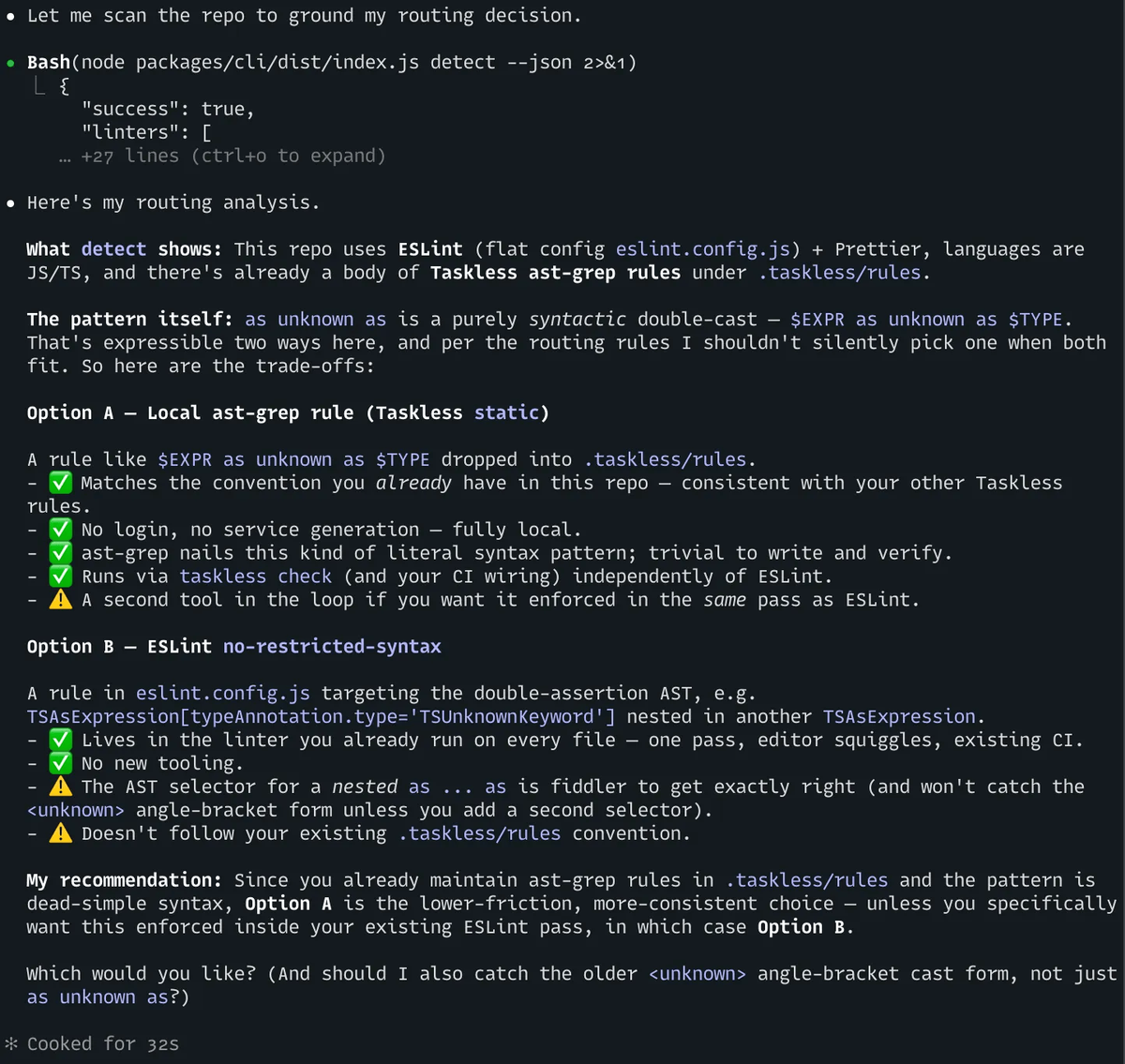
It's monorepo-aware. A linter configured three packages deep gets found, and Taskless can tell you where.
It sends the rule where it belongs
When you ask Taskless to write a rule, it decides where that rule should live. There are three destinations.
existing. The repo already runs a linter that can express the rule. Taskless writes it in that tool's own dialect: an ESLint rule, a Ruff selection, a RuboCop cop. Your linter runs it the way it always has.
static. The pattern fits a local ast-grep rule. Taskless writes it to .taskless/rules/, generates tests, and verifies it on your machine.
remote. The rule needs the Taskless service. This is the escalation of last resort. It requires login and uses a generation, and Taskless only takes you here when a rule genuinely can't be built on-device, and only after you confirm.
The bias is local. Taskless builds the rule on your machine whenever it reasonably can. When it's genuinely unsure, it asks you.
Name your linter, get help
Here's the change you'll feel first. Ask for "an eslint rule that flags X." Earlier versions of the skill stepped back when you named a specific linter. Now that's the signal to engage. Taskless reads your repo, sees ESLint configured, and routes you straight to authoring the rule in ESLint's own dialect.
What you get: a correction lands in the tool that already runs in your pipeline. You keep your linter, your config, your CI. Taskless works out the rule and puts it where your existing setup will enforce it.
Get it
npx @taskless/cli
That sets Taskless up in your coding agent. From there, ask for a rule and Taskless will figure out the rest for your coding agent. It automatically detects a large number of languages and their static analysis tools.
If you’re already a Taskless user, running the CLI command a second time will automatically upgrade your skills to the latest version.